I spent the last couple of weeks writing a disk space treemap for macOS. The layout part is old and well understood: squarified treemaps have been published since 2000. The scanner is where every interesting bug lived. These are the four that cost me the most time, roughly in the order I hit them.
1. Every file came back as zero bytes
The scanner walks directories with getattrlistbulk(2), which hands back a packed buffer of attributes for many entries per call. It is much faster than readdir plus a stat per file. The first version returned the right names and the right file counts, and every size was zero.
That looks exactly like a permissions problem, and it wasn't. The returned attribute_set_t is five 32-bit groups:
struct attribute_set {
    attrgroup_t commonattr;  // offset 0
    attrgroup_t volattr;     // offset 4
    attrgroup_t dirattr;     // offset 8
    attrgroup_t fileattr;    // offset 12
    attrgroup_t forkattr;    // offset 16
};
I was reading the file group at offset 16, which is the fork group. Reading offset 12 fixed it, and the totals now match du -sk byte for byte.
2. The totals were 7% low, everywhere
The size formatter compared against 1000 to pick a unit, divided by 1024, and printed "GB". So every number in the app was GiB with a GB label. At gigabyte scale that is 7.4% under. My data volume read 340 GB where the real figure was 365, and the disk read 460 GB on a drive Finder calls 494 GB.
macOS has reported decimal units since 10.6. A disk tool that disagrees with Finder about the size of the disk has failed at the one number it exists to show, so it divides by 1000 now.
3. Scanning / counted my home folder twice
This is the one in the title. Pointing the scanner at / produced 743 GB on a 494 GB disk.
Since Catalina, the system and your data live on two APFS volumes, stitched together with firmlinks so that /Users looks like it is on the root volume. The obvious way to stay on one volume while walking is to compare st_dev with the scan root and stop when it changes. On APFS that test can't tell the two volumes apart, because they report the same device:
st_dev    inode                 path
16777233  2                     /
16777233  1152921500311879682   /System/Volumes/Data
16777233  17020                 /Users
16777233  17020                 /System/Volumes/Data/Users
Every user directory is reachable twice: once through the firmlink at /Users and once through the data volume mount. Same inode both times. A scanner that trusts st_dev walks both and counts your home folder twice.
Two changes fixed it. Directories are deduplicated by inode, the same way hard-linked files already were, which makes the total correct and also covers cases I haven't thought of. And /System/Volumes/Data is skipped by name when it is not itself the scan root. Without that second change the total was right, but which path won the race was random, so 225 GB of home could show up nested under System/Volumes/Data instead of under /Users.
A bonus bug hid inside this one. Child paths were built as parent + "/" + name, and with a root of "/" that produces //System. The skip-by-name compare silently never matched, and for a while the inode dedup was doing all the work on its own.
With both fixes, / scans to 378.6 GB on disk (502.6 GB apparent) across 5.66 million files in about 29 seconds.
4. A Google Drive folder hung the scan for twelve minutes
The first full scan of ~/Library sat at 0% CPU for twelve minutes. Every worker was parked inside open(2) on a directory under ~/Library/CloudStorage/GoogleDrive-….
That folder is a File Provider domain root. ls on it never returns either. None of the cheap checks catch it: it reports the same st_dev as your home folder, so the stay-on-volume test passes it, and its st_flags is 0, so there is no SF_DATALESS to test for. I measured both before giving up on them.
The fix has two parts. ~/Library/CloudStorage/* is skipped by name, because those files live on someone else's server and counting them as local disk would be wrong even if they answered. And there is now a stall watchdog: when the work queue is empty and every busy worker has been inside a single open or getattrlistbulk for more than ten seconds, the scan marks those directories unreadable and finishes. The stuck threads check an abandoned flag under the lock before touching the tree, so they can't race the UI. Each one leaks a thread and a 512 KiB buffer, which is bounded by the number of wedged mounts and seemed better than a scan that never ends.
What it turned into
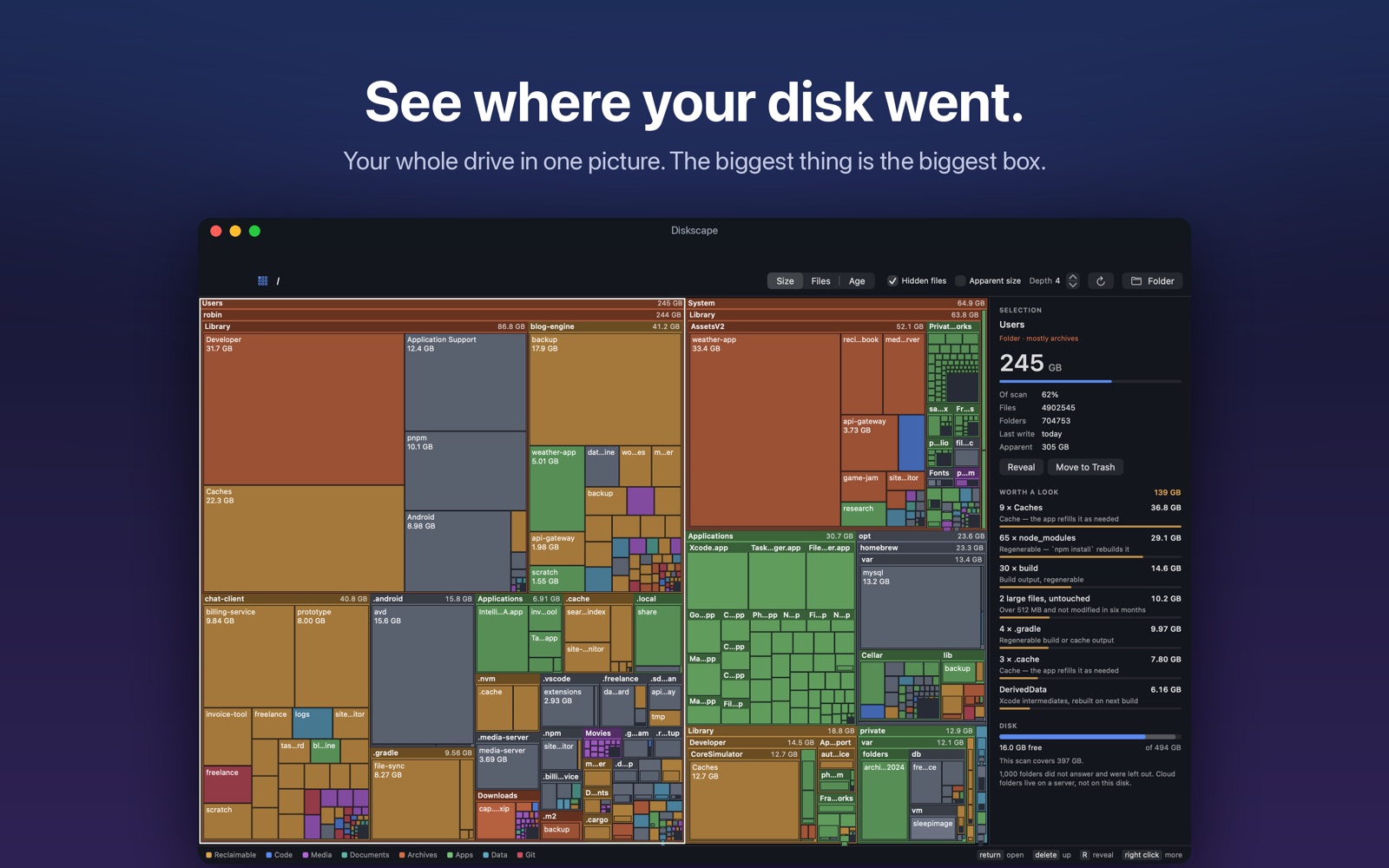
The app is called Diskscape and it is on the Mac App Store. It draws the whole disk as one treemap and keeps a list of the space a developer can usually get back: node_modules, Xcode DerivedData, iOS DeviceSupport, simulator caches. Scanning and browsing are free.
If your numbers ever disagree with Finder, I want to hear about it: serdar.oztetik@gmail.com.